CPD and expenses
CPD and expenses, ready to export.
Audit letter or tax time, you're ready. Log CPD against your registration period, keep work expenses with their receipt photos, and export a PDF when you need it.


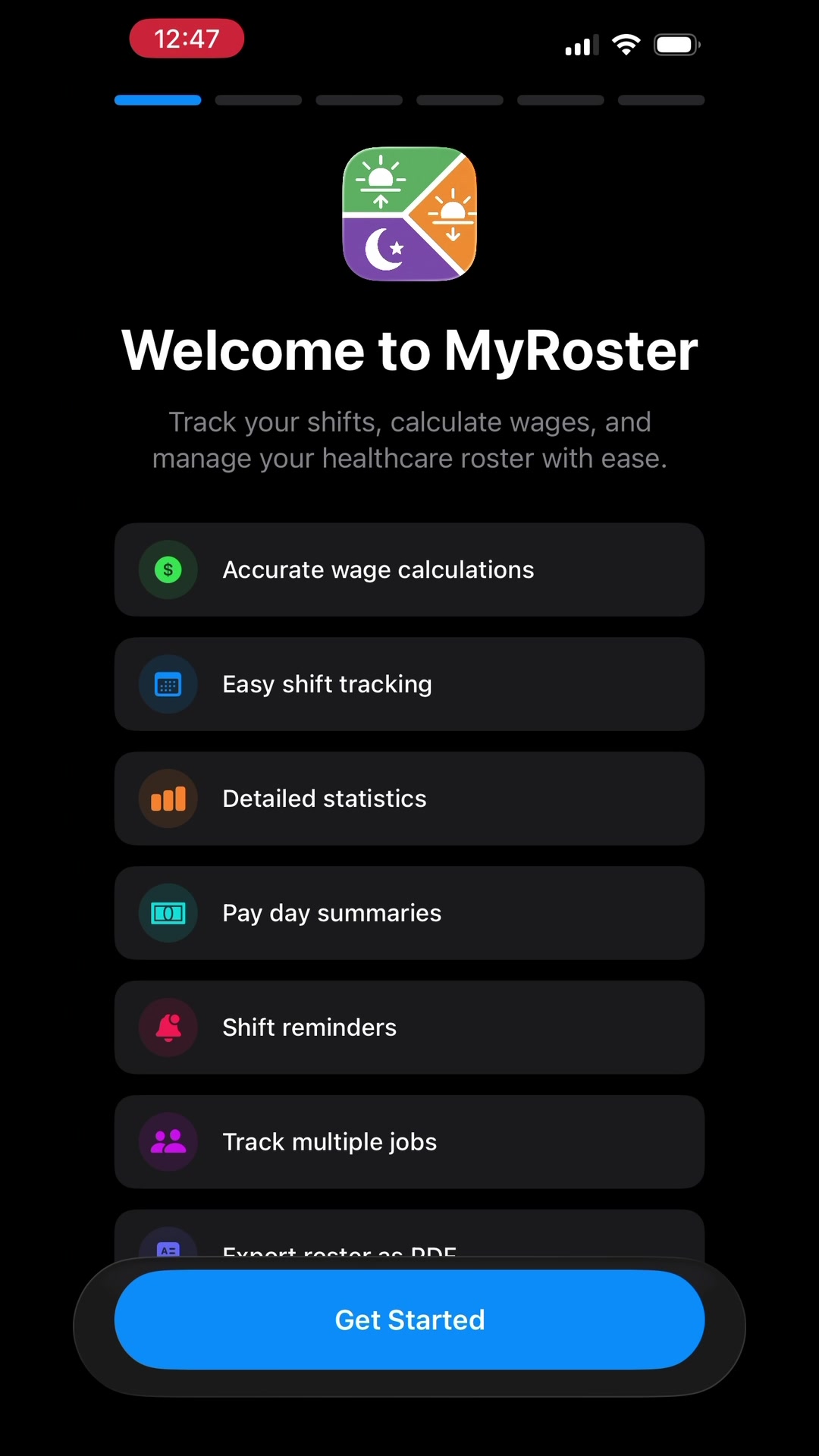
Add your roster. See what every shift pays.
Penalty rates, allowances, overtime and take-home pay, all worked out from your award or agreement. Rates come built in for nurses, midwives, police, paramedics, doctors, transport and NDIS workers in Australia, New Zealand and the UK, and for nurses across Canada. Shift workers anywhere can add their own or set up pay from their contract.
Find your pay rates


On a computer? Scan with your phone's camera to get MyRoster.
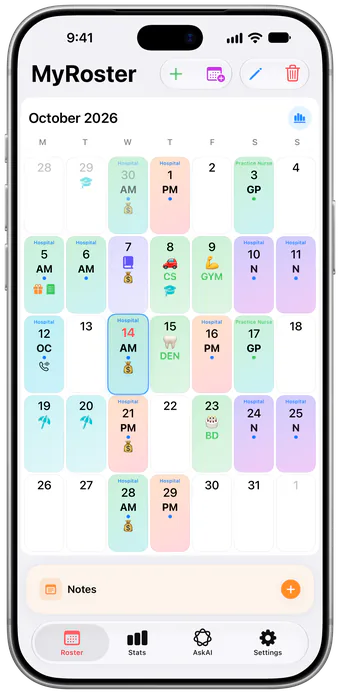
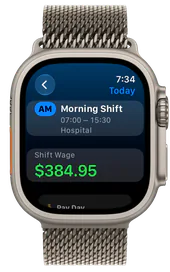
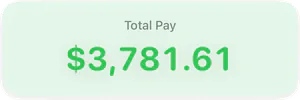
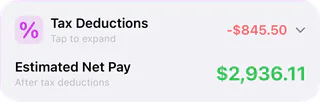

From the shift you pick up to the pay that lands, and every question in between.

The iPhone in your pocket, the iPad at home, the Apple Watch on your wrist. Same roster, same pay, kept in sync.
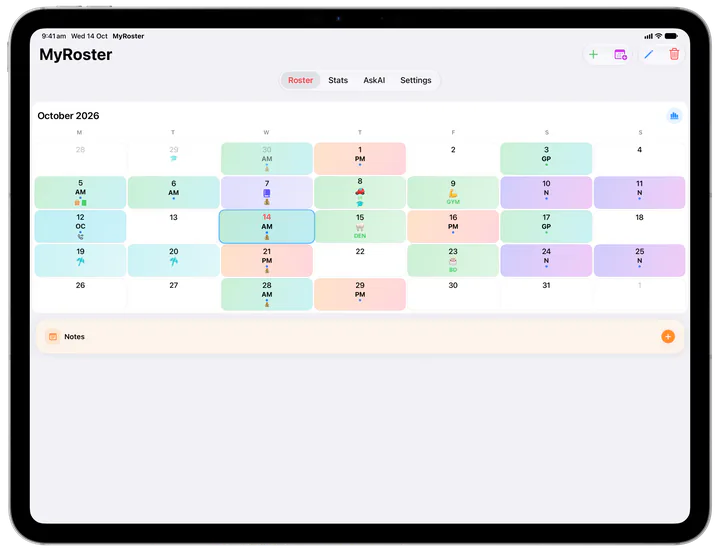
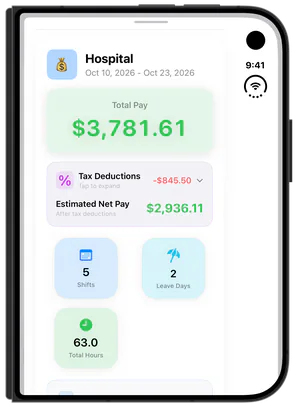
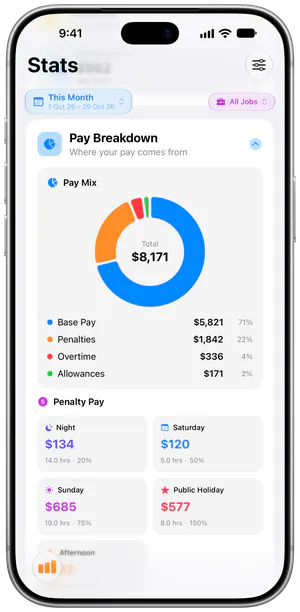
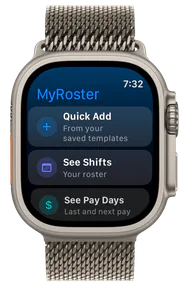
Shift pay
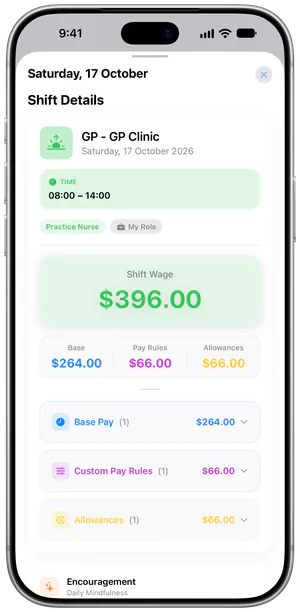
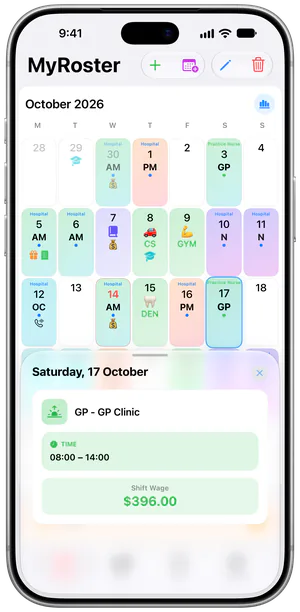
Picked up a night shift? See what it pays before you clock on. Weekend and night rates, allowances and overtime are worked out for every shift, and one tap shows how it adds up: base pay, pay rules and allowances.


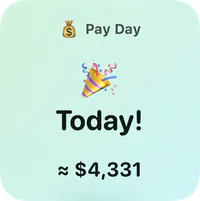
Pay day
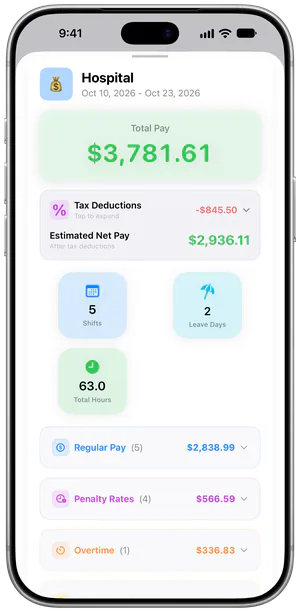
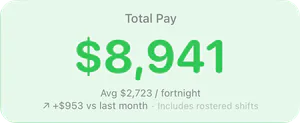
No more guessing what will land in your account. Each pay day shows your total pay, the tax and your estimated take-home, so you can budget before the money arrives.
AskAI
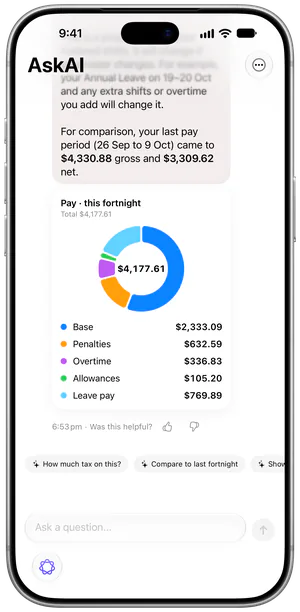
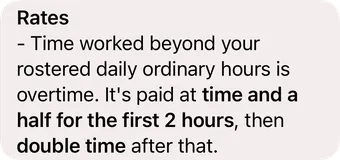
How is a public holiday paid? What will this pay come to? AskAI answers questions about your award, agreement or EBA, your pay and the app itself, in plain words.
Stats
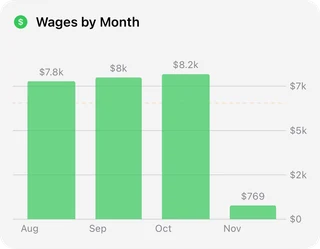
Is it the nights, the weekends or the overtime? Stats shows where your pay comes from, alongside your hours and leave, month by month.
Apple Watch
Hands full on a busy shift? Glance at today's shift and what it pays, check your last and next pay days, add a shift from a saved template or count a heart or resp rate, all from your Apple Watch.
Home
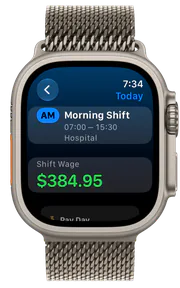
Today’s shift
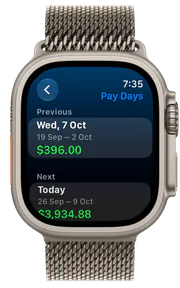
Pay days
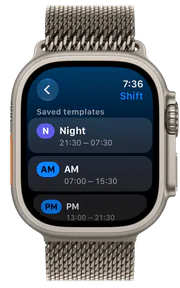
Quick Add
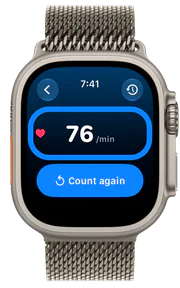
Heart Rate counter
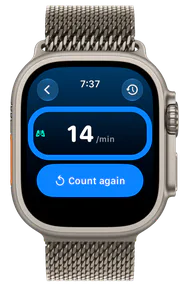
Resp Rate counter
Apple Health
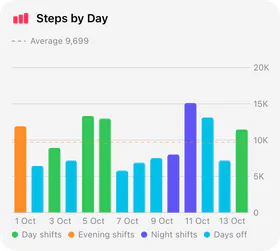
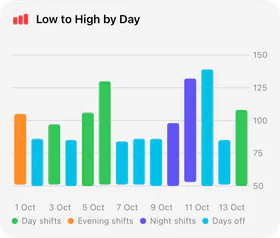
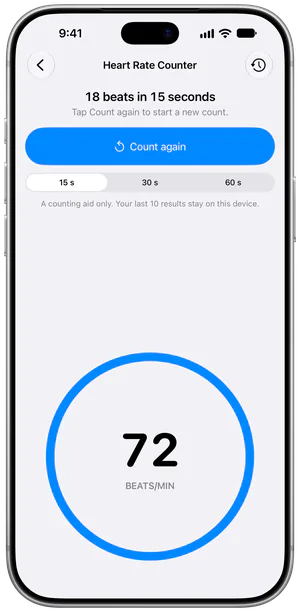
Ever wondered how many steps a night shift takes? On iPhone, MyRoster shows your steps and heart rate from Apple Health for every day you work. The Heart Rate and Resp Rate counters are there too, on iPhone and Apple Watch, with Wear OS coming soon.
Multi-Job Mode
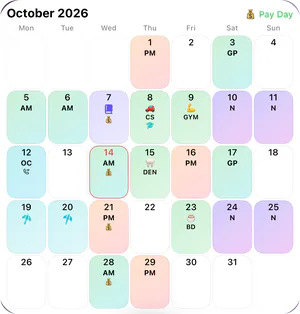
Ward shifts, agency shifts, a weekend job on the side? Multi-Job Mode puts them all on one roster, each with its own pay. For a job without built-in rates, add a Custom Role with your own pay rules.
CPD and expenses
Audit letter or tax time, you're ready. Log CPD against your registration period, keep work expenses with their receipt photos, and export a PDF when you need it.
Widgets
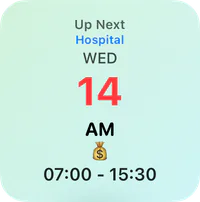
Know when you're on next without opening the app. Roster, Up Next and Pay Day widgets sit on your Home Screen, and iPhone adds Lock Screen widgets too.
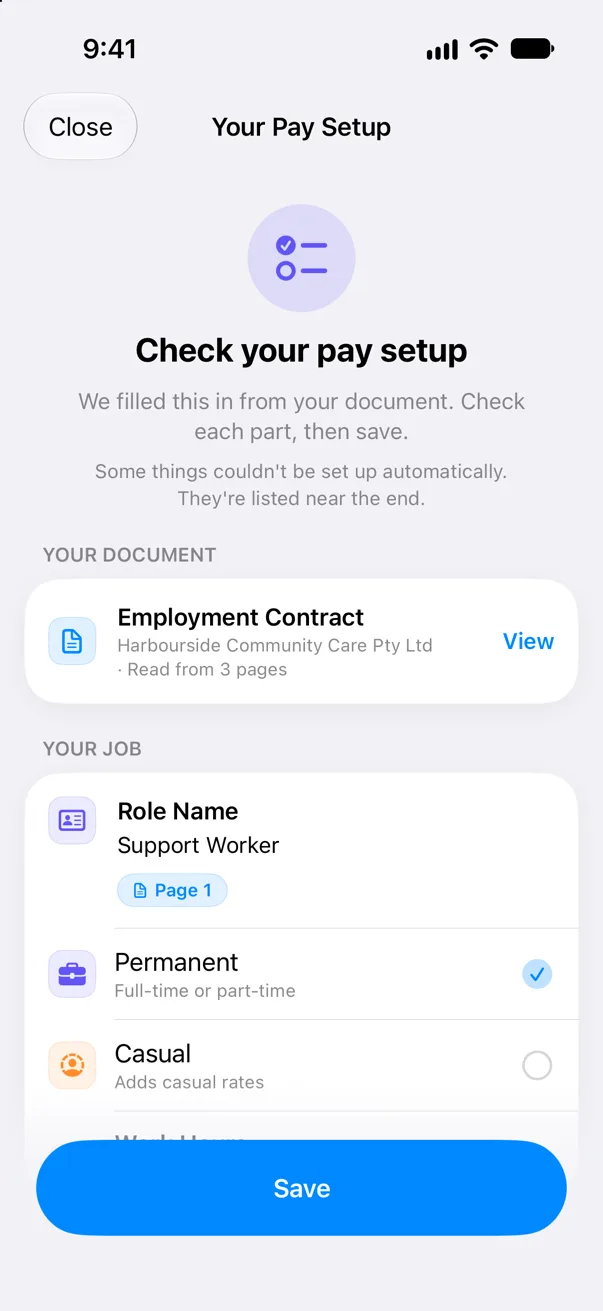
Set up from a documentNew
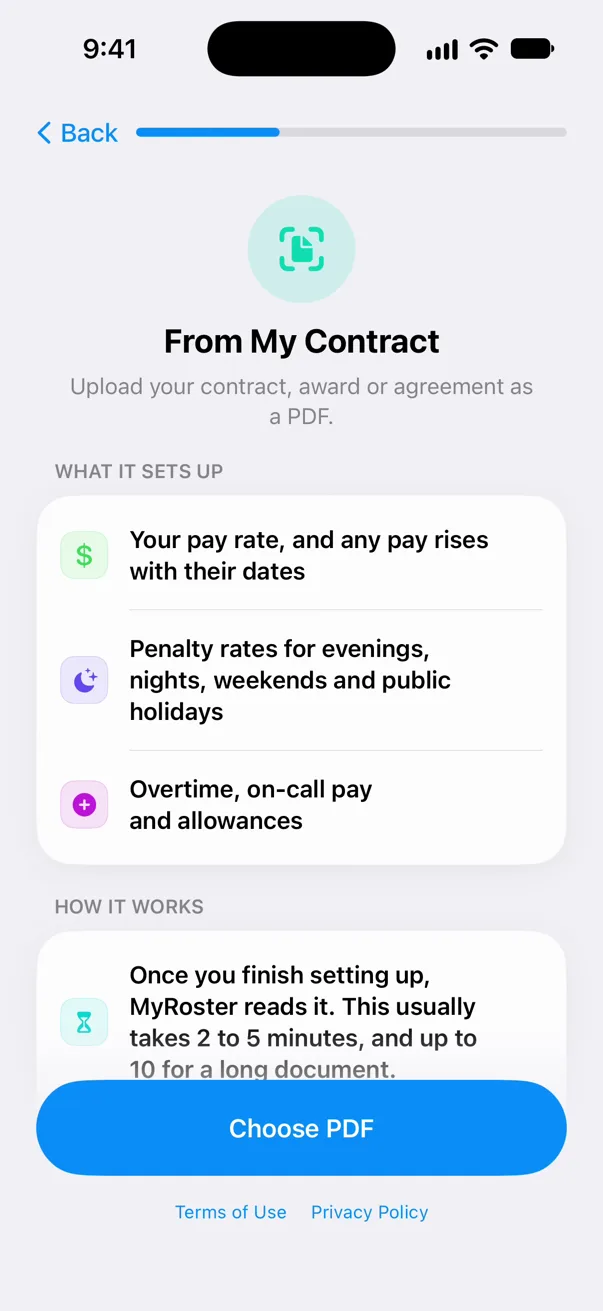
New job, new contract? Or an award that isn't built in, wherever you work? MyRoster reads the document and sets up your pay from it: your pay rate and pay rises, penalty rates, overtime, on-call pay and allowances.
Your contract, award or enterprise agreement. You’ll get a notification when your pay setup is ready, so there’s no waiting around.
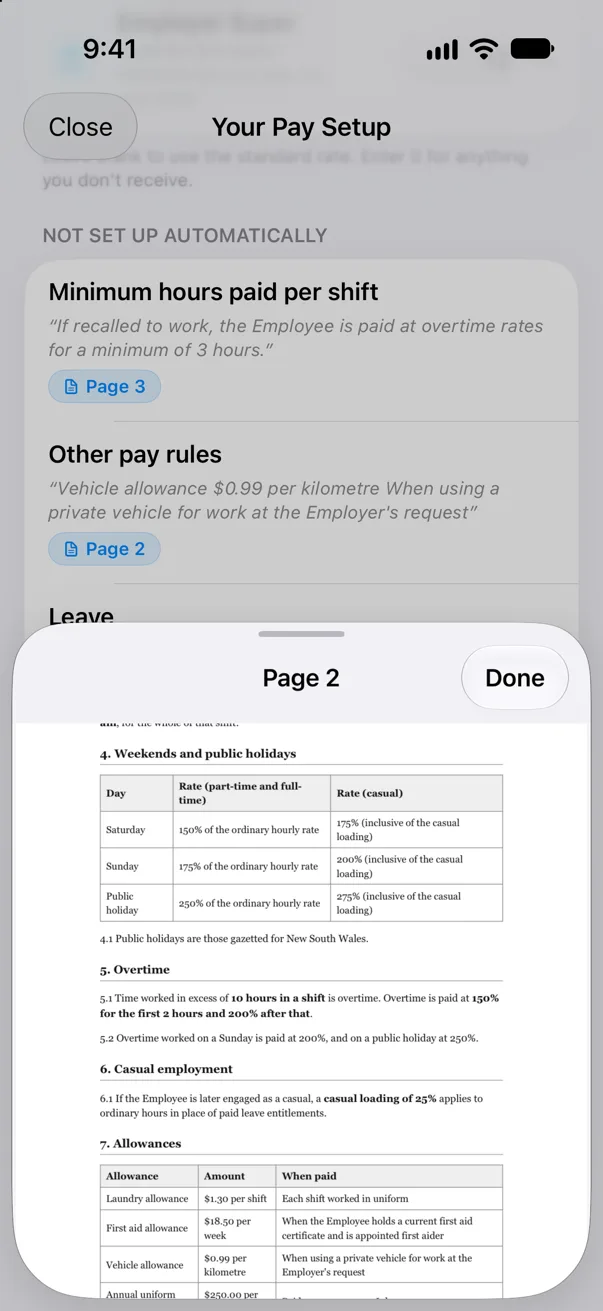
Every item shows the page it came from, and one tap opens that page of your document.
Anything it couldn’t set up is listed for you to add yourself. Nothing changes until you save.
Pop in your roster and let MyRoster handle the rest.
The little things that make shift life easier.
 Scan your rosterSnap the printed roster at work to add your shifts.
 ExpensesReceipts, a car trip log and a tax-ready export.
 CPD portfolioHours, reflections and a report you can export.
 Tax estimateYour take-home pay after tax, super and deductions.
 Calendar syncYour shifts in the calendar you already use.
 Share with friendsLet friends see when you're working, only if you choose.
 Siri and ShortcutsAsk when you're on next or what you'll get paid, or add a shift by voice.iPhone
 Cloud syncYour roster backed up and synced, with iCloud on iPhone and iPad or your Google account on Android.
For nurses and midwives, aged care, police, paramedics, public hospital doctors, transport and NDIS support workers, in every Australian state and territory, New Zealand and the UK's NHS, plus the Ramsay, Healthscope, St Vincent's, Calvary, Epworth and Mater private hospitals and nurses in every Canadian province and territory. Work somewhere else? Set up your pay from your contract, or set your own rates with Custom Roles and pay rules.
Public and private nursing pay, from every Australian state and territory to New Zealand, the NHS and every Canadian province and territory.
Pay for carers, AINs and personal care workers on the Aged Care Award, and for nurses working in aged care under the Nurses Award.
Constable to senior officer, for every state and territory police force, plus the AFP in the ACT.
See every police rateTrainee to intensive care paramedic, across every state and territory ambulance service, plus NSW Ambulance's control centre officers.
See every paramedic rateTrain drivers, bus operators and rail crews, state by state, plus the national Rail Industry Award.
See every transport rateDisability support workers on the SCHADS Award. It's one national award, so it's one page, with every classification stream.
NDIS Support WorkersSocial & community services · Crisis accommodation · Family day care · Home care (disability)See NDIS support worker ratesCan't see your award or employer? Wherever you work, MyRoster can set up your pay from your contract or agreement (iPhone now, Android coming soon). You can also set up your own rates with Custom Roles and pay rules, or tell us what you need.
Here's what fellow nurses are saying about MyRoster.

@eswift95 nursing friendly roster yes ploise @MyRoster #ad #myroster #nursingroster
♬ original sound - ELLIE 🍑
Watch on TikTokThank you Ellie 🍑 for the shoutout!
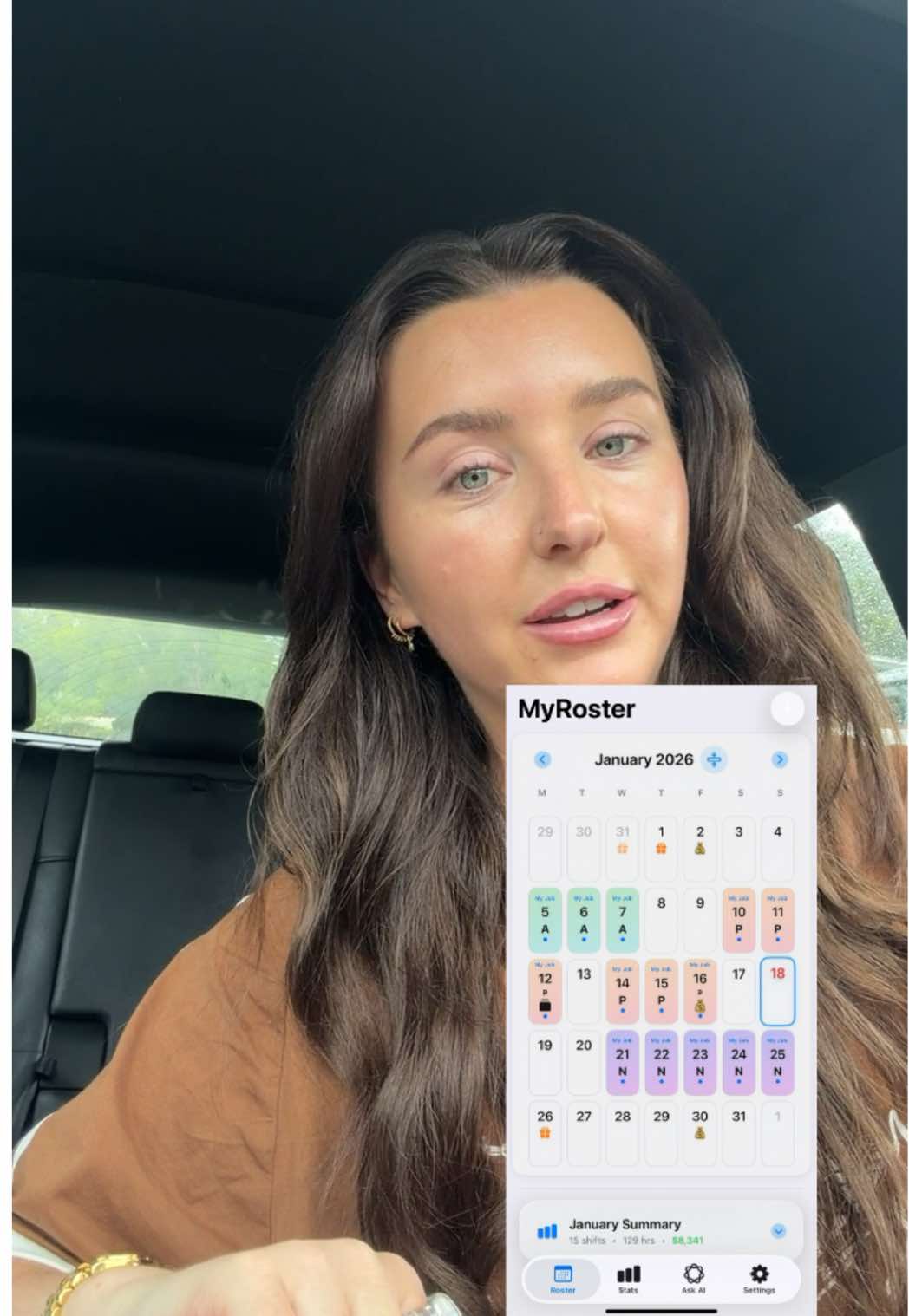
@zoecollin.s Girlies download this app ASAP it's a game changer!! MyRoster 🤝🏻 #nursing #registerednurse #nurselife
♬ original sound - Zoe
Watch on TikTokThank you Zoe for the awesome video!

@empathbrandon Have you heard of the app @MyRoster - For Nurses ?? If not! Now you have and you should check it out 💁🏻 #nursing #myroster #nursetok
♬ original sound - EmpathBrandon
Watch on TikTokThank you Brandon for the epic review!
@allaboutabbey @MyRoster - For Nurses has genuinely made working out my roster and pay a million times easier #nurse #healthcareworker #ad
♬ Nice To Each Other - Olivia Dean
Watch on TikTokThanks Abbey ❤️ glad you're loving MyRoster!

5 out of 5 stars. A Game - Changer for my work life ⭐️
This app has honestly been such a blessing in my everyday work life! I absolutely love how well it interprets my roster—not only showing my rostered days and shifts, but also giving me a clear idea of how my pay will reflect across each fortnight. It makes planning my work and finances so much easier. I also had an issue with the app and reached out to the creator, Jamie. Jamie was incredibly helpful, responded so quickly, and was very proactive in understanding the issue and making adjustments. It’s rare to see that level of responsiveness and care from an app creator.
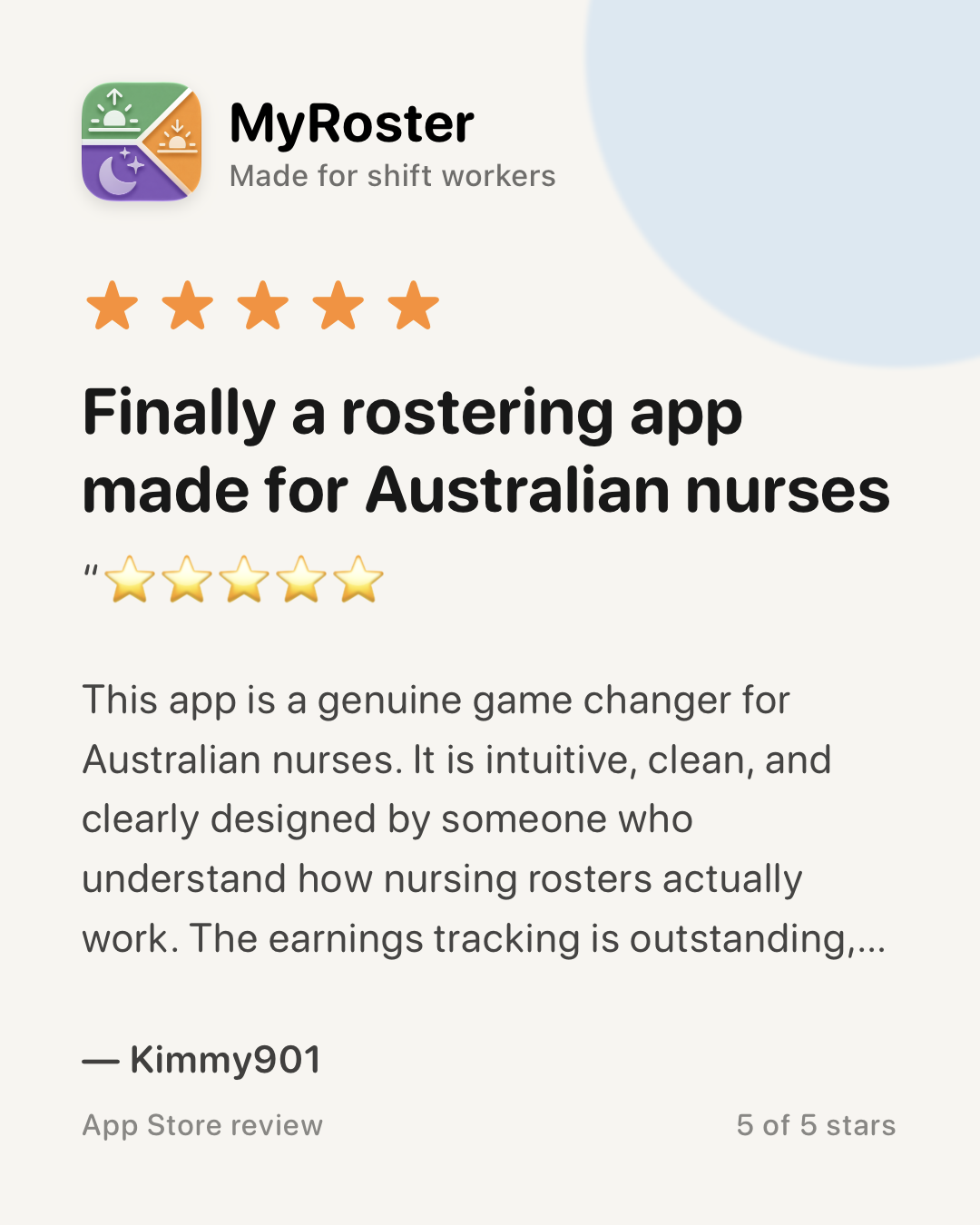
5 out of 5 stars. Finally a rostering app made for Australian nurses
This app is a genuine game changer for Australian nurses. It is intuitive, clean, and clearly designed by someone who understand how nursing rosters actually work. The earnings tracking is outstanding, with clear and detailed breakdowns that make it easy to understand penalties, allowances, overtime, on-call and different rates without needing extra tools and is tailored to Australian awards depending on your state.
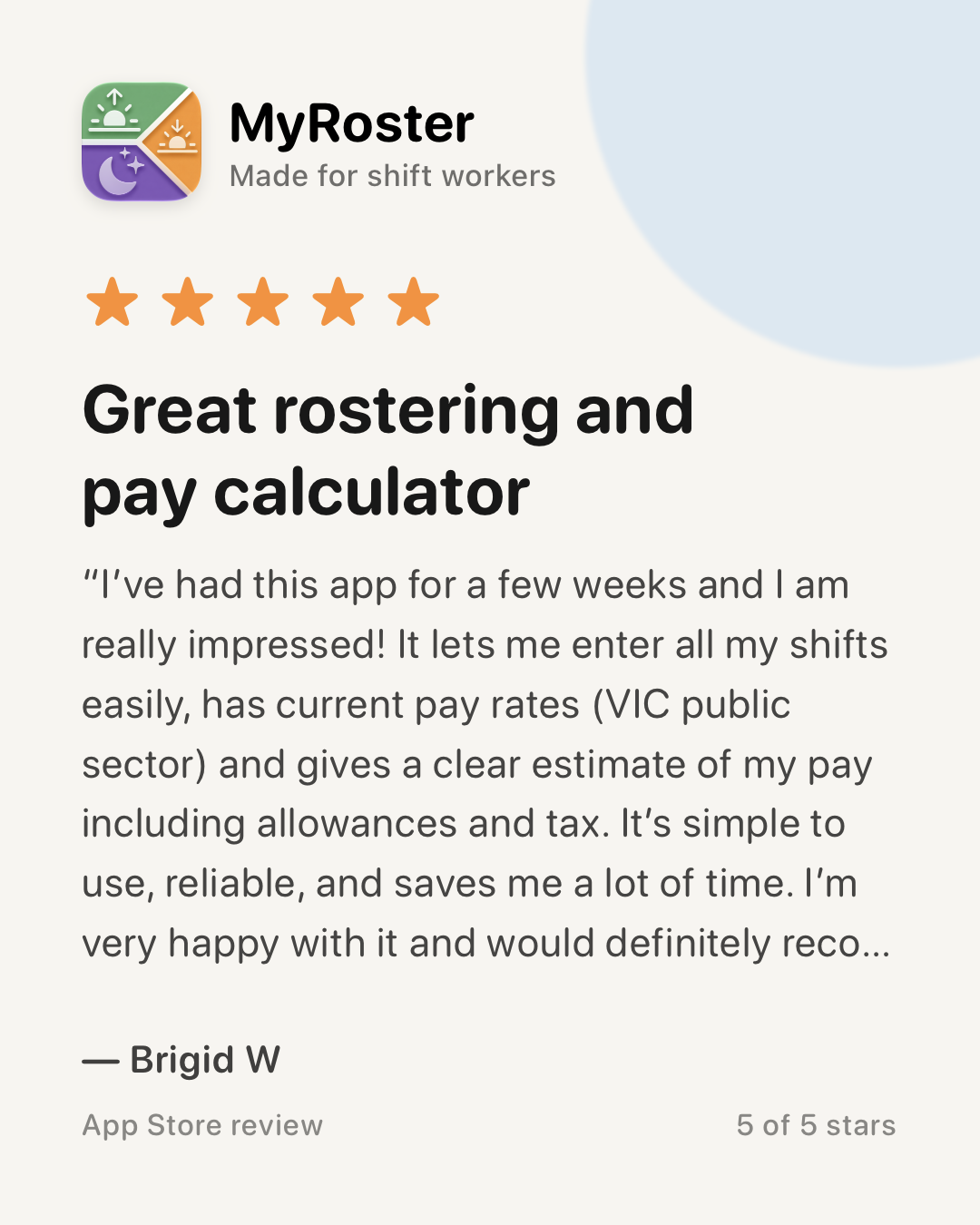
5 out of 5 stars. Great rostering and pay calculator
I’ve had this app for a few weeks and I am really impressed! It lets me enter all my shifts easily, has current pay rates (VIC public sector) and gives a clear estimate of my pay including allowances and tax. It’s simple to use, reliable, and saves me a lot of time. I’m very happy with it and would definitely recommend it. The creator has been very helpful and responsible to any feedback 🙂
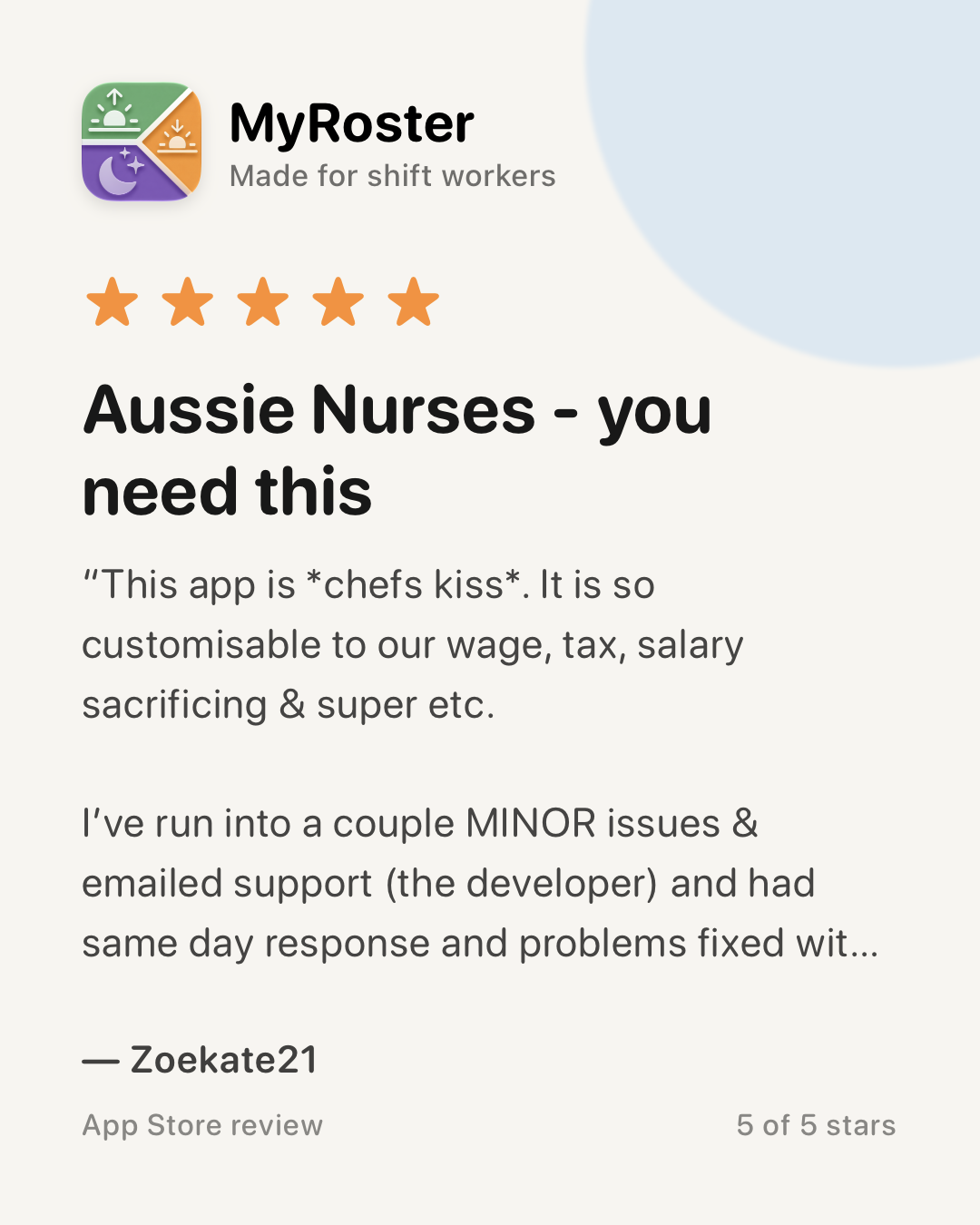
5 out of 5 stars. Aussie Nurses - you need this
This app is *chefs kiss*. It is so customisable to our wage, tax, salary sacrificing & super etc. I’ve run into a couple MINOR issues & emailed support (the developer) and had same day response and problems fixed within a day. Unreal customer service - so impressed.
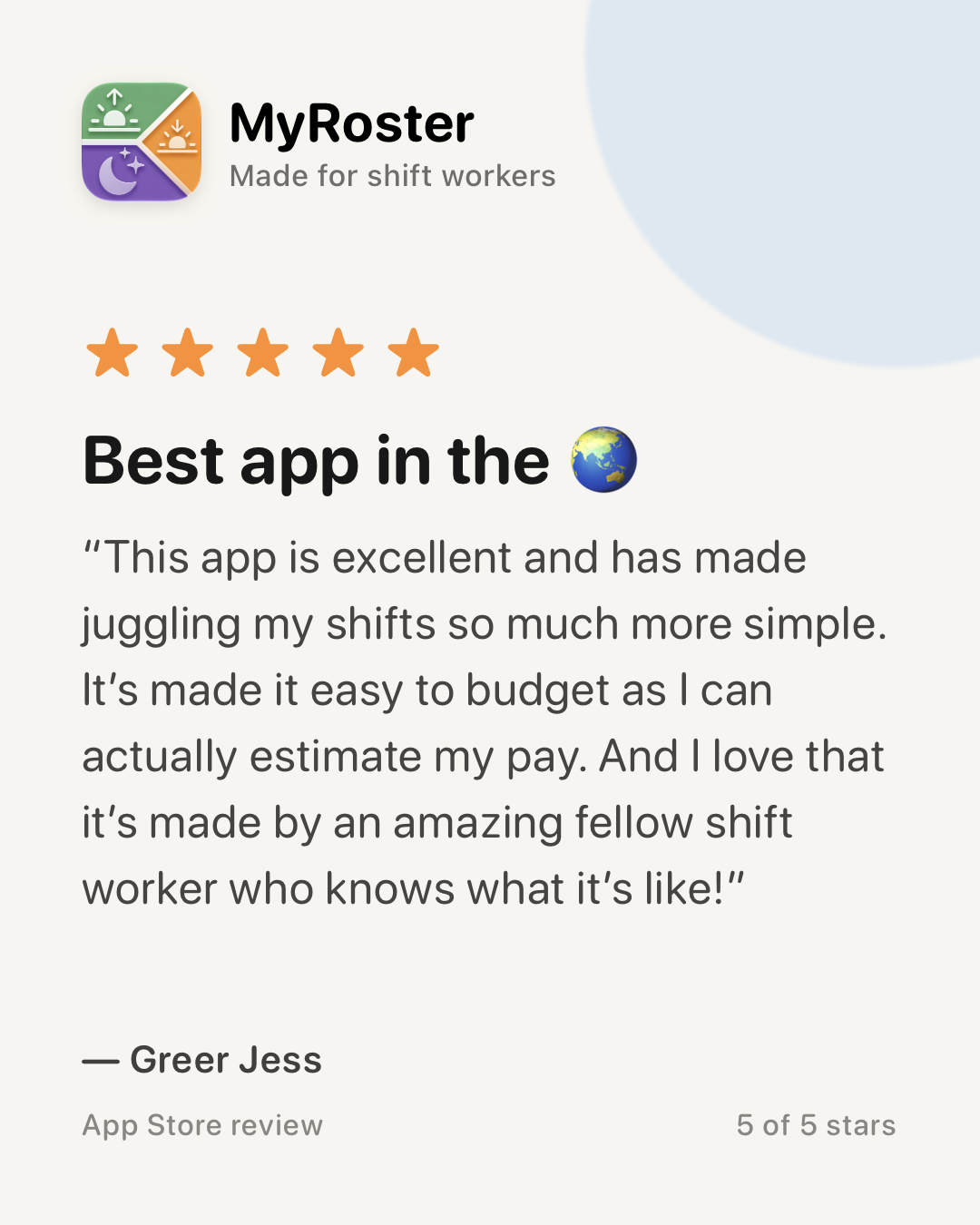
5 out of 5 stars. Best app in the 🌏
This app is excellent and has made juggling my shifts so much more simple. It’s made it easy to budget as I can actually estimate my pay. And I love that it’s made by an amazing fellow shift worker who knows what it’s like!
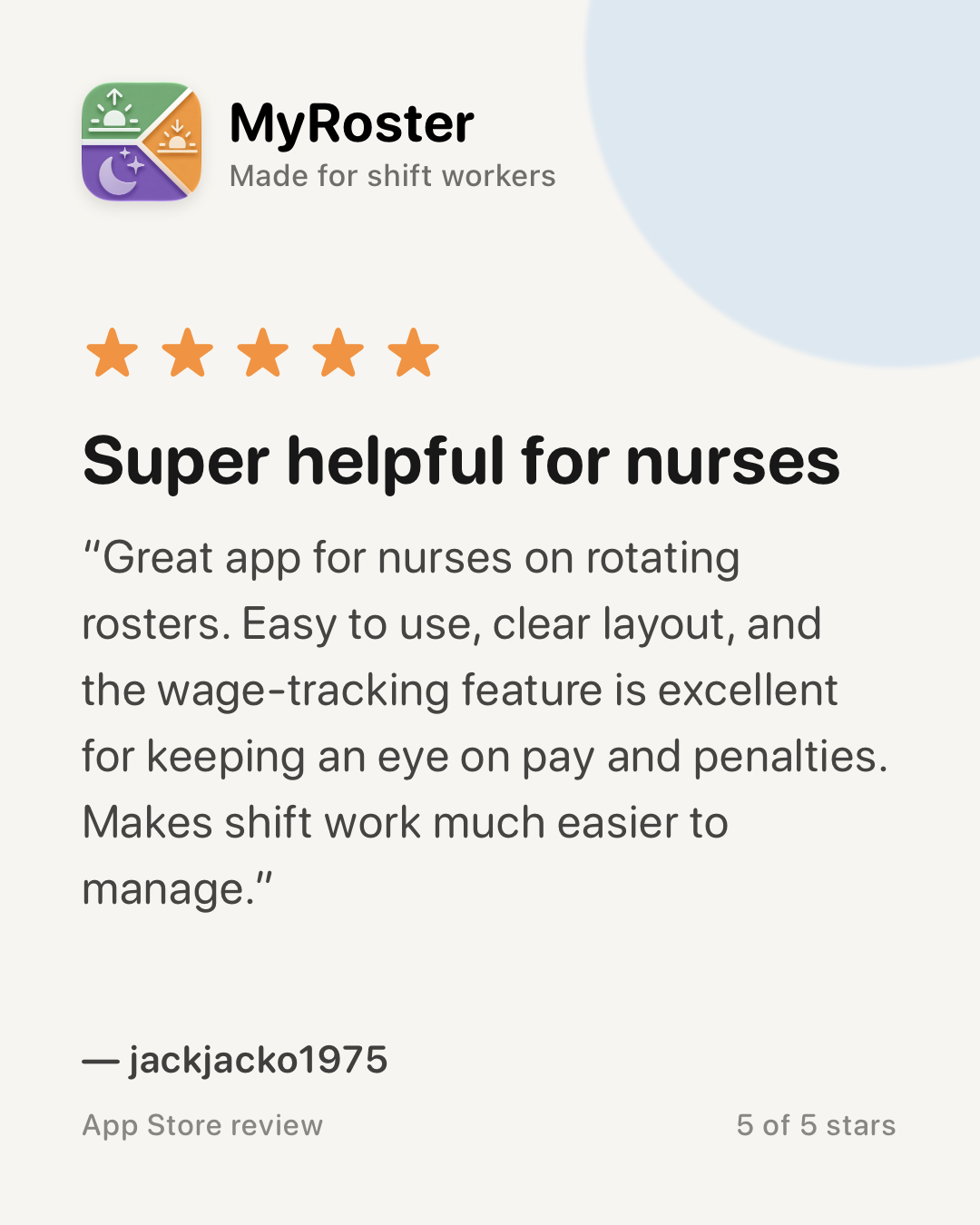
5 out of 5 stars. Super helpful for nurses
Great app for nurses on rotating rosters. Easy to use, clear layout, and the wage-tracking feature is excellent for keeping an eye on pay and penalties. Makes shift work much easier to manage.
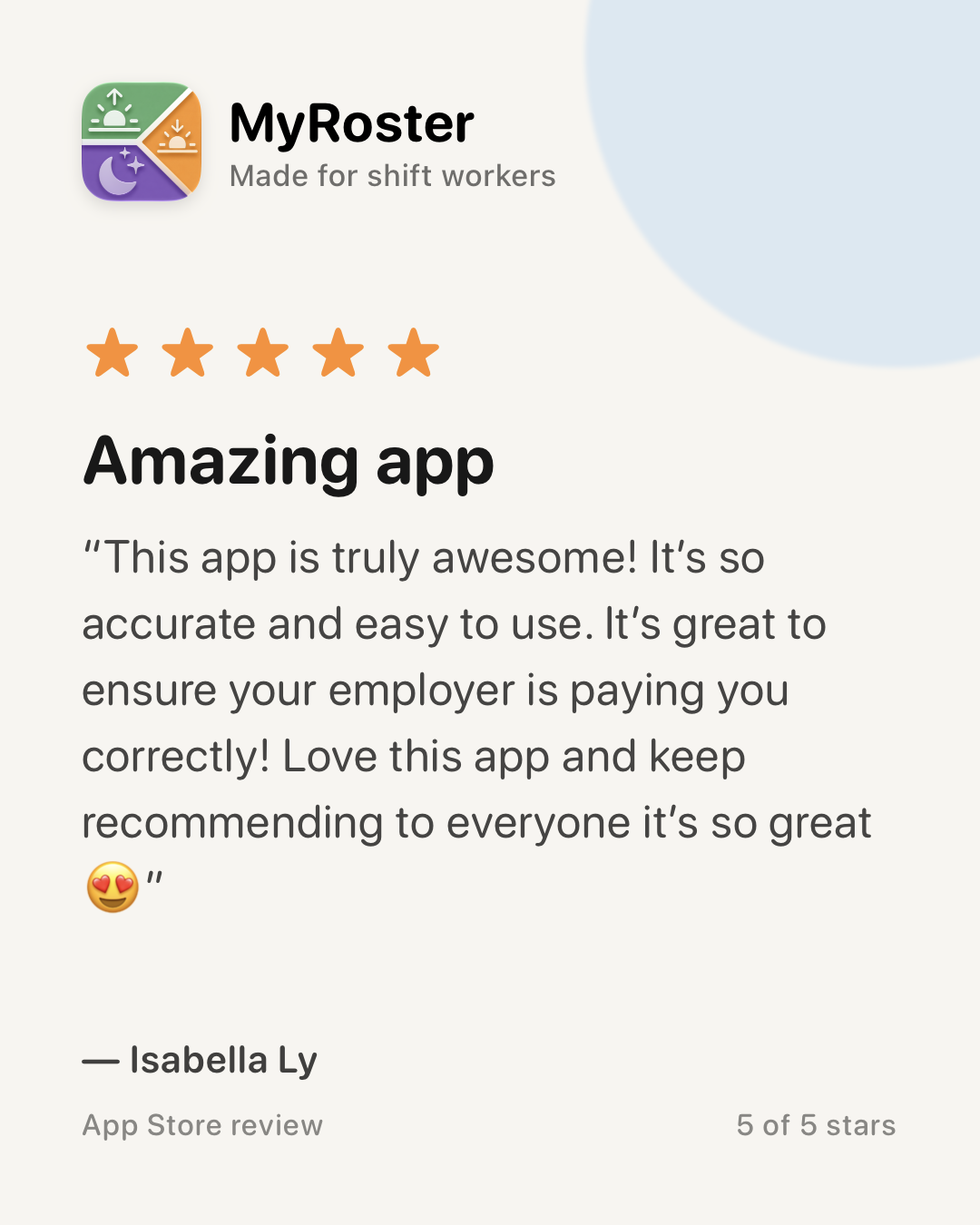
5 out of 5 stars. Amazing app
This app is truly awesome! It’s so accurate and easy to use. It’s great to ensure your employer is paying you correctly! Love this app and keep recommending to everyone it’s so great 😍
Try it before your next payday.
No — MyRoster is a subscription app that requires an active subscription to use. You can start with a free trial, then choose a plan; current pricing is shown in the app and on the App Store and Google Play.
All eight Australian states and territories (NSW, QLD, VIC, NT, SA, WA, TAS and ACT) plus Victoria's public mental health agreement, the Federal Nurses Award (with separate aged-care and other-than-aged-care scales), the Aged Care Award for aged care workers (AINs and personal care workers), and major private hospital groups — Ramsay Health Care (NSW, VIC and QLD), Healthscope (NSW, VIC and TAS), St Vincent’s Private (the NSW agreement covering Darlinghurst, Mater Sydney and Griffith, plus separate Lismore, Victorian and Queensland agreements), Calvary Health Care (Tasmania, South Australia, Calvary Riverina in Wagga Wagga, and Calvary Bruce Private and Calvary John James in the ACT), Epworth HealthCare (Victoria) and Mater. Internationally: New Zealand (Te Whatu Ora / NZNO), the United Kingdom’s NHS across all four nations (England, Scotland, Wales and Northern Ireland), and nurses in all 13 Canadian provinces and territories on their collective agreements. Each comes with current pay rates, penalties and allowances built in.
Yes. MyRoster has built-in rates for New Zealand nurses and midwives on the Te Whatu Ora / NZNO agreement, UK nurses on the NHS Agenda for Change pay scales (England, Scotland, Wales and Northern Ireland), and Canadian nurses in all 13 provinces and territories on their collective agreements, with the correct currency, shift premiums or unsocial-hours enhancements, and allowances for each. Anywhere else in the world, set up your pay from your own contract or agreement (on iPhone, with Android coming soon), or set up a Custom Role with your own pay rules, and MyRoster works out each shift from those.
Yes, on iPhone, with Android coming soon. Upload your contract, award or enterprise agreement as a PDF and MyRoster reads it and sets up your pay: your pay rate and any pay rises with their start dates, penalty rates for each type of day, overtime, on-call pay and allowances. You get a notification when it’s ready, so you don’t have to wait. It’s a starting point, so check everything on Your Pay Setup against your document. Each item shows the page number it came from, which opens that page of your document, and anything MyRoster couldn’t set up is listed so you can add it yourself. Nothing changes until you save. You can do it when you first set up MyRoster, from Change Job, or when you add another job. It takes English PDFs up to 600 pages, and typed documents work best. If your document is an award MyRoster already has built in, it offers the built-in setup instead.
Yes. Police rates cover every Australian state and territory plus the Australian Federal Police, from constable and senior constable through sergeant, senior sergeant and commissioned officers. Paramedic rates cover every state ambulance service, plus NSW Ambulance’s non-paramedic control centre officers, public hospital doctor rates run from intern to senior specialist in every state and territory, and transport rates cover the major rail and bus agreements plus the national Rail Industry Award. Each comes with shift, weekend and public-holiday penalties and the main allowances built in. See the Police, Paramedics, Doctors and Transport wages pages for current rates by state.
Yes — MyRoster prices provider-employed NDIS support workers from the SCHADS Award (the Social, Community, Home Care and Disability Services Industry Award), one national award that applies in every state. It covers all four classification streams — social and community services, crisis accommodation, family day care, and home care disability care — with the equal remuneration order rates, casual loading, weekend and public-holiday penalties, the finish-time shift loadings, and the sleepover, on-call, broken-shift and vehicle allowances. See the NDIS support worker wages page for the current rates. If you are self-employed and contract directly with participants, the award does not cover you — set your own rates with custom pay rules instead.
Yes. MyRoster includes a CPD portfolio: log each activity with its hours, type, provider, what you learned and your reflection, attach the certificate as evidence, and set a CPD target that matches your registration period — 20 hours a year for Australian nurses, 30 for Australian paramedics, 50 for Australian doctors, 35 over three years for UK nurses, or 60 over three years for New Zealand nurses. You can export the whole portfolio as an audit-ready report.
Yes. MyRoster includes an expense tracker built for tax time: log claimable work expenses with a category, amount, notes and receipt photos, and keep a car trip log with odometer readings for work-related driving. Totals are grouped by financial year, and you can export everything as a tax-ready PDF report — receipt photos included — or a spreadsheet for your tax agent.
Nurses, midwives and healthcare workers, police officers, paramedics, public hospital doctors, transport workers, NDIS and disability support workers, and shift workers more broadly. It includes role-specific rates for each profession, from RN to CNS, constable to senior officer, intern to specialist, trainee to intensive care paramedic, bus operator to train driver, and NDIS support worker to service manager, plus, for any other job wherever you work, pay set up from your own contract or agreement, or a Custom Role with your own pay rules.
Yes. Turn on Multi-Job Mode and give each job its own profile, with its own award or agreement, role, allowances, deductions and super. It suits a second job, agency shifts or working interstate. Shifts from every job sit on one roster, and Stats can show each job on its own or all of them together. For a job without built-in rates, set up its pay from the contract or agreement, or set up a Custom Role with your own pay rules.
Anything about your shifts and pay, your award, agreement or EBA, or how to use MyRoster. Try "What will I earn this pay?", "How is a weekend shift paid?" or "How do I add leave?" On iPhone you can also say "Ask MyRoster" to Siri. Answers are a guide, so check anything important against your payslip or agreement.
Yes. The MyRoster Apple Watch app shows your roster, today’s shift and its pay, and your last and next pay days. Quick Add puts a shift, leave and more on your roster from your saved templates, and watch face complications open Quick Add or a counter in one tap. It works with MyRoster on a paired iPhone. A Wear OS app for Android watches is coming soon.
Yes, on iPhone, if you turn it on. MyRoster reads your steps and heart rate from Apple Health and shows them for every day you work, in each day’s details and in Stats, grouped by day, evening and night shifts and days off. It only reads, and your Health data is never stored or sent anywhere. Separately, the Heart Rate and Resp Rate counters on iPhone and Apple Watch (Wear OS coming soon) help you count beats or breaths against a timer. They are simple counting tools, not medical devices.
Yes. Home Screen widgets on iPhone and Android show your upcoming shifts, your next shift, your next pay day, this week’s shifts and hours, and which friends are working. On iPhone you also get Lock Screen widgets and Control Centre controls that open the counters. And with Siri and Shortcuts on iPhone, you can ask when you’re on next or what you’ll get paid, or add a shift, leave, a note, an expense or CPD by voice.
MyRoster uses current published award and enterprise-agreement rates, including penalties, allowances and overtime, plus tax and super estimates. For a Custom Role, it uses the pay rules you set, and if you set up your pay from a document, you check what it read against your document before you save. Treat it as a reliable guide and check it against your official payslip.
Yes. Your roster and pay data syncs and backs up to your own cloud account — I never see it, and your financial information is never shared. The optional Friends / Shift Sharing feature only shares the limited roster details you choose.
Yes — with Refer a Friend. Create an invite link in Settings › Refer a Friend and share it with colleagues. When a friend you invited subscribes and stays subscribed, it counts toward free time on your Monthly or Annual plan: 1 month free at 5 friends, 12 months free at 10, and more with no cap. It works on iPhone and Android — see the Refer a Friend page for how it works and the fine print.
Yes. MyRoster is on the App Store (iPhone and iPad) and Google Play (Android), and your roster, pay, AskAI, Stats, Multi-Job Mode, CPD, expenses, Home Screen widgets and cloud sync work on both (iCloud on iPhone and iPad, your Google account on Android). Setting up your pay from a contract or agreement is on iPhone now, with Android coming soon. The Heart Rate and Resp Rate counters are on iPhone and Apple Watch, with Wear OS coming soon. The Apple Watch app, Apple Health, Lock Screen widgets, Control Centre controls and Siri are on iPhone and Apple Watch only.
Version 3.9.1 · 135.2 MB · Requires iOS 18.6 or later · Updated 26 Oct 2026
MyRoster 3.9.1 is here!
New: - You can now upload a Contract, Award, Agreement or EBA and have a Custom Role and Pay Rules set up for you. - Welcome Canada! Canadian nursing rates are now built in. - Budgets: You can now set up a personal budget to help your financial goals. Track bills, set savings goals and much more. - CPD Notifications: Get reminded to log your CPD as it gets closer to renewal time. - AskAI improvements, including offering a payslip upload to help you customise MyRoster for improved accuracy, as well as offering to turn allowances on or off and more. - Expenses: More options available for Travel, including Miles and set distances. You can now mark expenses as claimed to keep track. Fixed: - ADO rounding for some full timer users who are incorrectly seeing 7.6hrs worked. Recently: - AskAI can now assist with adding, editing and deleting shifts, leave, events, overtime, on-call and allowances. This works best with Templates. - You can now set weekly templates. - Apple Watch support is here! You can now see your roster and pay day, and quick add shifts using templates. - Health: You can now sync Apple Health and record your steps and Heart Rate against your shifts with built-in tools to manually measure a person's respiratory rate and heart rate. - Custom Priced Shifts: Enable in Settings > Customise. This lets you add a custom shift with any pricing you'd like, on top of your normal award rates. - Refer a friend: Get rewarded with free access for successfully referring friends and colleagues. Learn more: https://myrosterapp.com.au/refer-a-friend/ - You can now highlight your current pay cycle in Settings > Pay Day (Thanks Linda!) - You can now set your own Tax and Super % (Great for global users who don't have built in rates). - You can now add a Public Holiday - Not Worked in the leave tab, which pays your base rate. - You can now track time and hours towards a new grade in Settings > Work profile, visible in Stats - Improved Pay Day widget (can now have it show net or gross), and improved appearance of others. - More filter options for the Stats tab. - Changing shortcodes and custom names is now more flexible. - Annual Leave can now be set by start and end times (Thanks Jeremy!) - Australian Paramedics: New Pay by Salary for average hours (Settings > Work Profile) - pay can be paid by contract hours independent of hours worked, also tracked in Stats. - Opt in to be paid via a fixed salary amount (Settings > Work Profile) - pay can be paid by contract hours independent of hours worked, also tracked in Stats. - Welcome, Epworth Private, Victoria and NSWA Control Centre Officers! Your rates are now built in. - AskAI: You can now ask AskAI for help using MyRoster. You can now vote if a response was helpful or not to improve it in the future. See more tutorials here: https://myrosterapp.com.au/tutorials - iPhone Duo support.
Join thousands of nurses and shift workers who know what's coming on payday. Add your next shift and see for yourself.
On a computer? Scan with your phone's camera to get MyRoster.

 NSW
NSW QLD
QLD VIC
VIC NT
NT SA
SA WA
WA TAS
TAS ACT
ACT