Share MyRoster. Earn free months.
Love MyRoster? Invite your colleagues. When a friend you invited subscribes and stays subscribed, it counts toward free MyRoster for you.
- 5 friends · 1 month free
- 10 friends · 12 months free
- No cap
Three steps to free time
- Step 1
Invite
Create an invite link in Settings › Refer a Friend and share it with a colleague, however you like.
- Step 2
Friend subscribes
Your friend joins MyRoster with your code, subscribes, and stays subscribed for 7 days after their first payment.
- Step 3
You earn
Every 5 friends who count earns you free time on your Monthly or Annual plan. There’s no cap.
One link per friend, shared your way
Open MyRoster and go to Settings › Refer a Friend — it’s in the Friends section of Settings.
Tap Create Invite Link, then share it however you like — Messages, WhatsApp, email…
Each link has its own short code (like ABCD-2345), so you can see where each invite is up to.
Tap its share button to send it again — no need to make a new one.
Touch and hold an unused or expired invite to delete it.
How your friend uses your link
Already has MyRoster
Tapping your link opens the app and saves your code. It’s applied when they subscribe.
Doesn’t have it yet
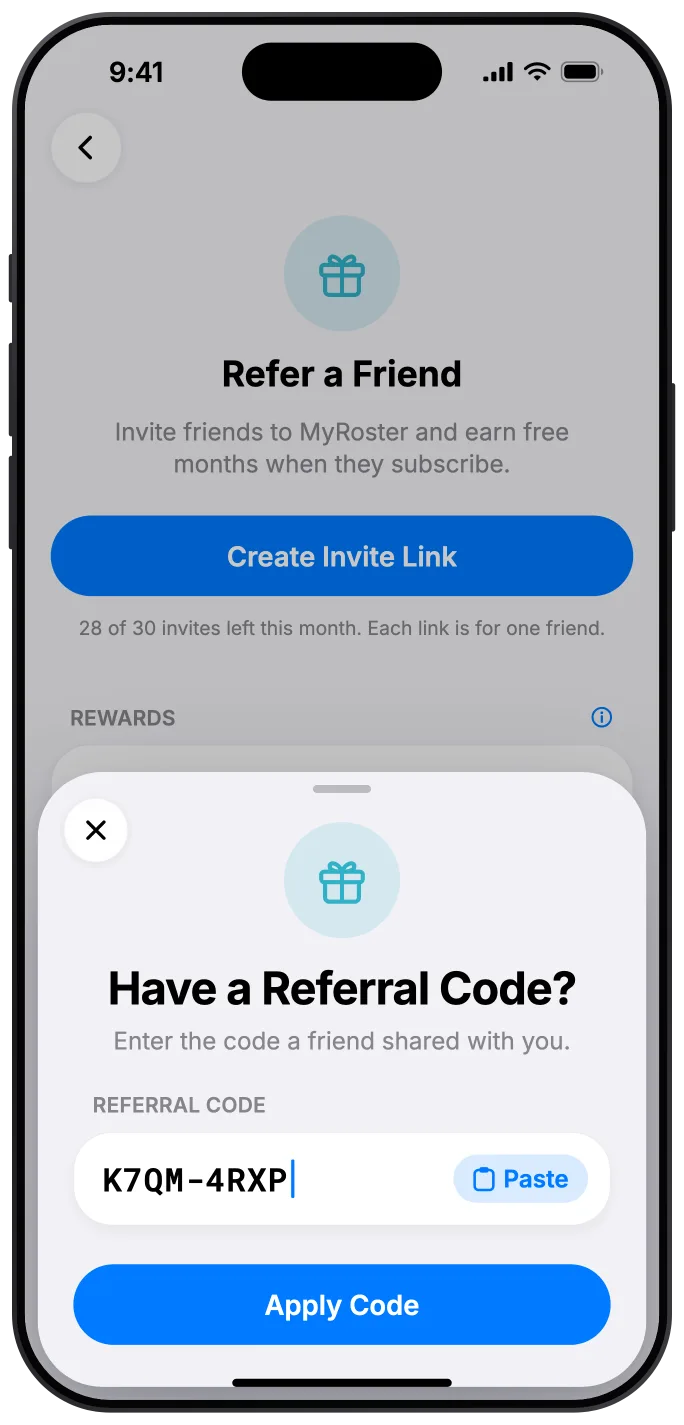
Your link opens a page showing your code, with a Copy button and buttons for the App Store and Google Play. Once MyRoster is installed, they tap Have a referral code? on the plan screen and enter or paste the code.
Already subscribed?
They can still add a code within a month of subscribing, in Settings › Refer a Friend › Have a referral code?
Paid, then 7 days
A referral counts once your friend is a paying subscriber and has stayed paid for 7 days.
Monthly plan
7 days after their first payment.
Annual plan
The free trial doesn’t count. Once the trial ends and their first payment goes through, it’s 7 more days.
Every 5 friends, another reward
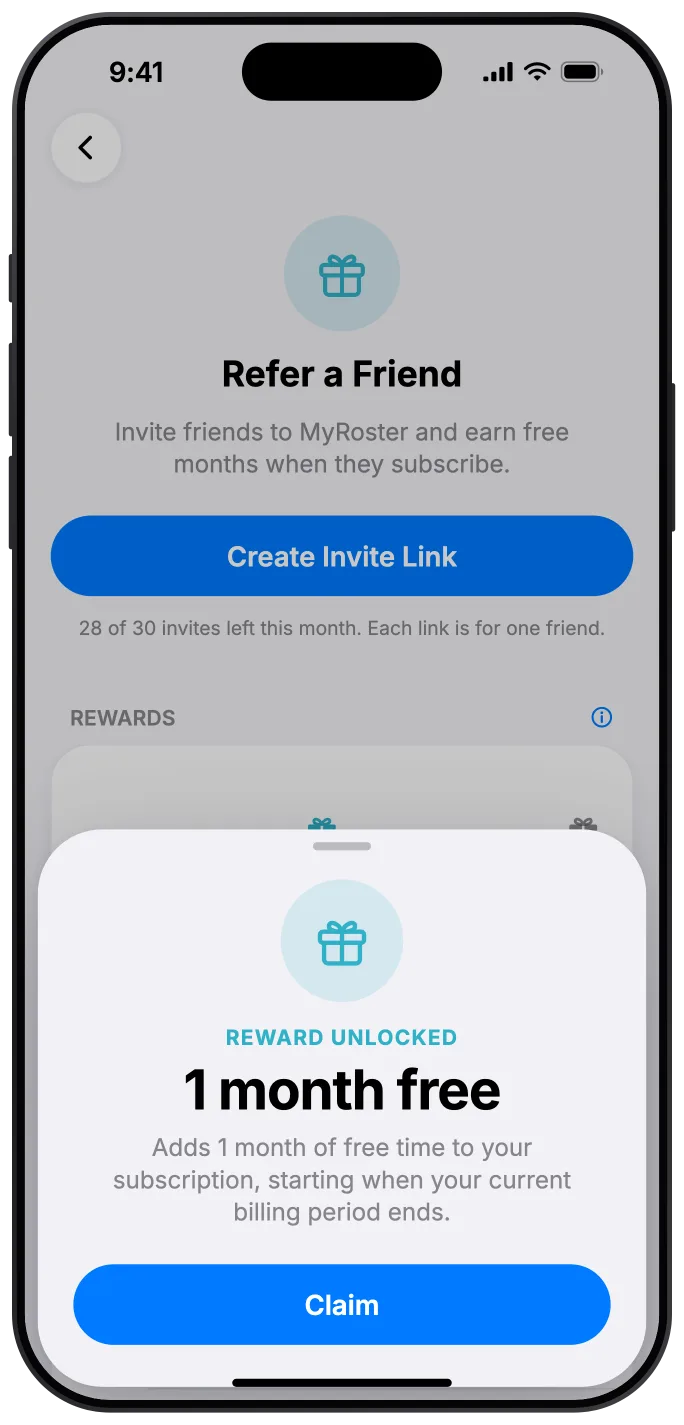
Rewards add free time to your current Monthly or Annual plan. The free time starts when your current billing period ends. There’s no cap — keep inviting, keep earning.
- 5friends1 month free
- The big one10friends12 months free
- 15friendsAnother month free
- 20friendsAnother 12 months free
- 25friendsAnother month free
- 30friendsAnother 12 months free
| Friends who count | Reward |
|---|---|
| 5 friends | 1 month free |
| 10 friends | 12 months free |
| Every 10 more (20, 30, 40…) | Another 12 months free |
| Every 5 in between (15, 25, 35…) | Another month free |
Getting your reward
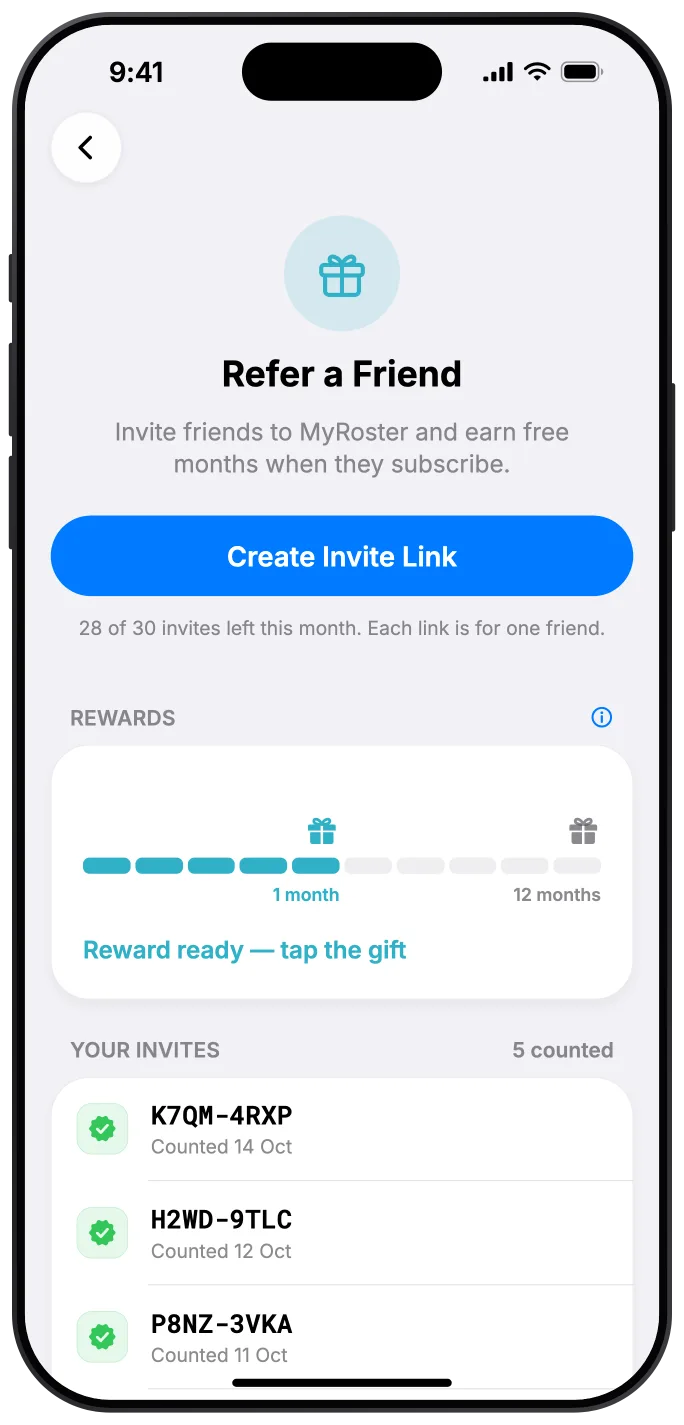
On iPhone: when you earn a reward, the gift on your progress bar starts wiggling. Tap it to reveal your reward, then claim and redeem it.
On Android: the free time is added straight onto your subscription.
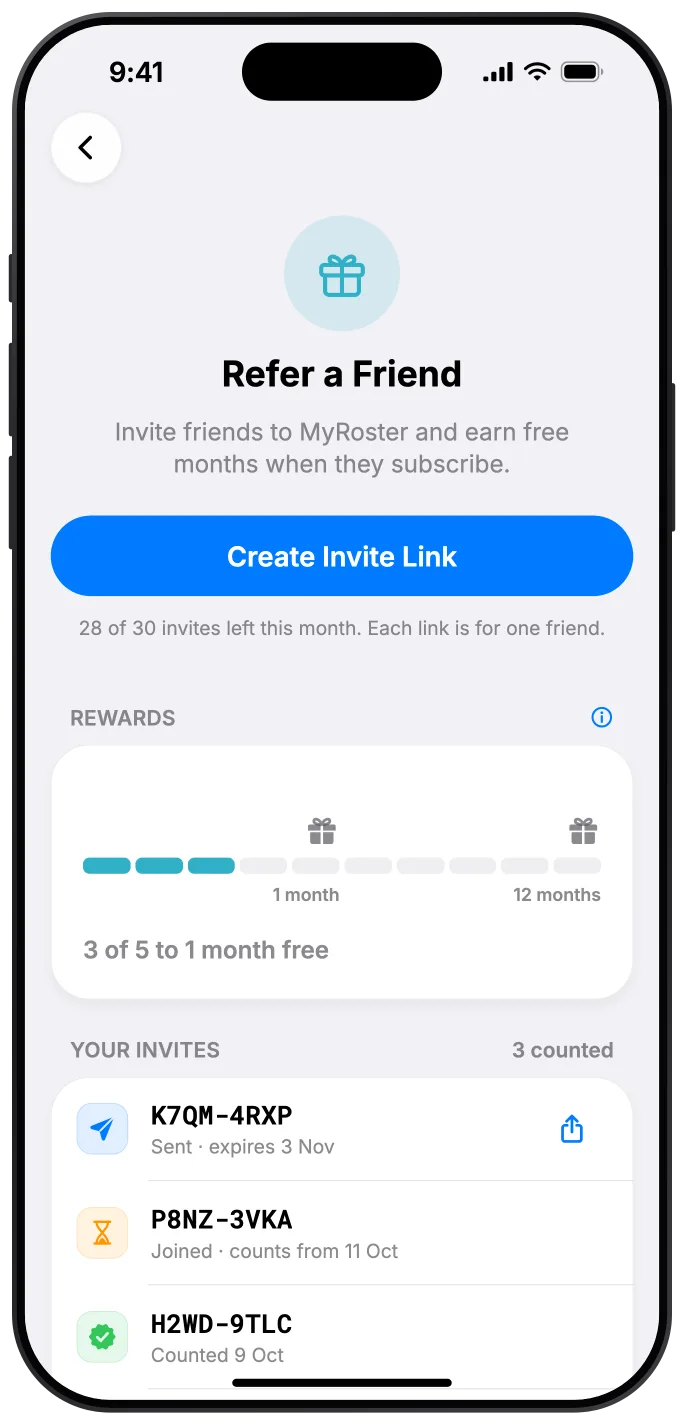
See where every invite is up to
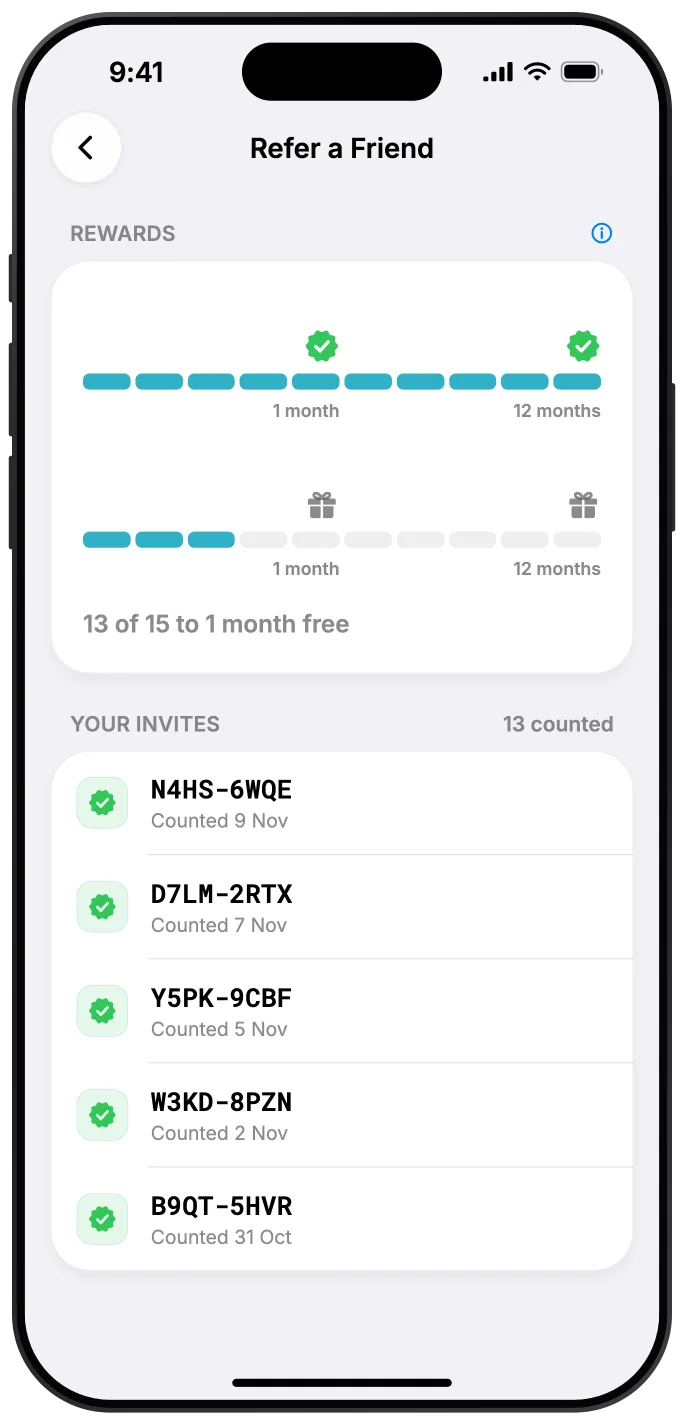
Your progress bar only counts friends who’ve actually subscribed and counted, with gift markers at 5 and 10. When a bar fills, a new one starts underneath.
What each status means
- Sent
You’ve shared the link, but it hasn’t been used yet.
- Joined
Your friend has joined. It counts once they’ve paid and stayed paid for 7 days — the date shows on the invite.
- Counted
Done — it’s on your progress bar.
- Expired
Unused links expire after 30 days.
- Didn’t stay subscribed
Your friend joined but didn’t go on to pay.
From invite to reward
The fine print
Who can be referred?
People who are new to MyRoster. Your friend’s subscription has to start after you made the invite (a short 3-day grace applies). Existing or returning subscribers can’t use a referral code.
Can a friend use more than one code?
No — each person can use one referral code, and you can’t use your own.
How many invites can I send?
Up to 30 invite links a month. Each link is for one friend, and unused links expire after 30 days. Deleting an invite doesn’t give the slot back.
Can my friend add the code after subscribing?
Yes, within a month of subscribing. They go to Settings › Refer a Friend › Have a referral code? and enter or paste your code.
Which plans earn rewards?
The individual Monthly and Annual plans. If you’re on a Family plan you can still invite friends and be invited, but you can’t receive rewards.
How do rewards work?
Each reward adds free time to your current Monthly or Annual plan, starting when your current billing period ends. On iPhone, tap the wiggling gift on your progress bar to reveal your reward, then claim and redeem it. On Android, the free time is added straight onto your subscription.
What happens when the free time ends?
Your subscription carries on at the normal price, unless you cancel as usual in your App Store or Google Play settings.
Is there a limit to how much I can earn?
No cap. After your first 10 friends, every 10 more earns another 12 months free, and every 5 in between earns another month free.
My reward says “temporarily unavailable”. What now?
Just check back a little later and try again.
Is Refer a Friend on Android?
Yes. Refer a Friend is in MyRoster on both iPhone and Android.
Questions about a referral or a reward? Get in touch — I answer every message personally.
Got an invite? Start here.
Download MyRoster on iPhone or Android, then tap Have a referral code? on the plan screen. Already a subscriber? Head to Settings › Refer a Friend and start inviting.


On a computer? Scan with your phone's camera to get MyRoster.